A simple guide to word counter.
Know what counts as a word, character, sentence, or minute of reading.
Open Word counterWhat this tool tells you
A word counter helps estimate text length for a draft, caption, or form. This utility counts locally, so your text is not sent to a service.
Try it in SiteTrace
- Paste or type your text.
- Choose Count text to calculate the current text.
- Use words for draft length and characters for fields with length limits.
This utility works locally in your browser. The screenshot shows one example result.
What your result looks like
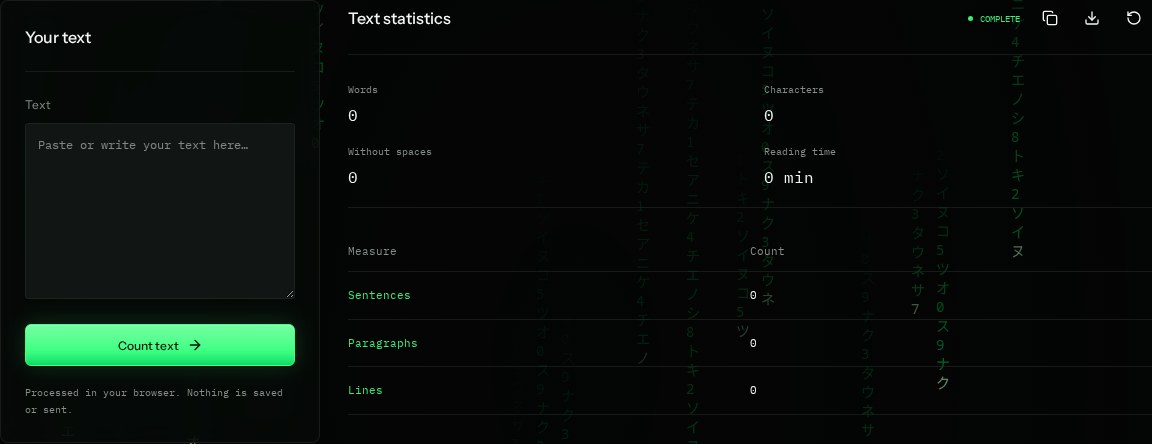
How to read the information
- Words
- Whitespace-separated groups count as words here. This simple method is not a language-aware word segmenter.
- Characters
- Unicode code points, including spaces and line breaks. Some emoji sequences can count as several characters.
- Without spaces
- Removes whitespace, including tabs and line breaks, before counting.
- Reading time
- An estimate rounded up at 200 words per minute. Sentences split at ., !, or ?, and paragraphs at blank lines.
What the example means
Different editors can count the same text differently. For a strict limit, check the target app's own counter too.
On your Mac or Windows PC
Mac instructions
In Terminal, run this on a text file to count words. Replace the filename with yours; add quotes around filenames with spaces.
wc -w your-file.txtA check from your computer reflects your own connection. It may differ from a remote test or the mockup shown here.
Keep this in mind
Do not use estimated reading time as an exact promise. Blank lines, punctuation, emoji, and languages without spaces can affect these simple counts.