A simple guide to random color.
Read HEX, RGB, and HSL and use the same color in a design.
Open Random colorWhat this tool tells you
This utility produces a random color and writes it in a format that design and web tools understand. It is a starting point for a palette, not a finished accessible color scheme.
Try it in SiteTrace
- Choose HEX, RGB, or HSL.
- Select Generate color. The swatch and values describe the same newly generated color.
- Copy the value into a design tool, then check contrast against its intended background.
This utility works locally in your browser. The screenshot shows one example result.
What your result looks like
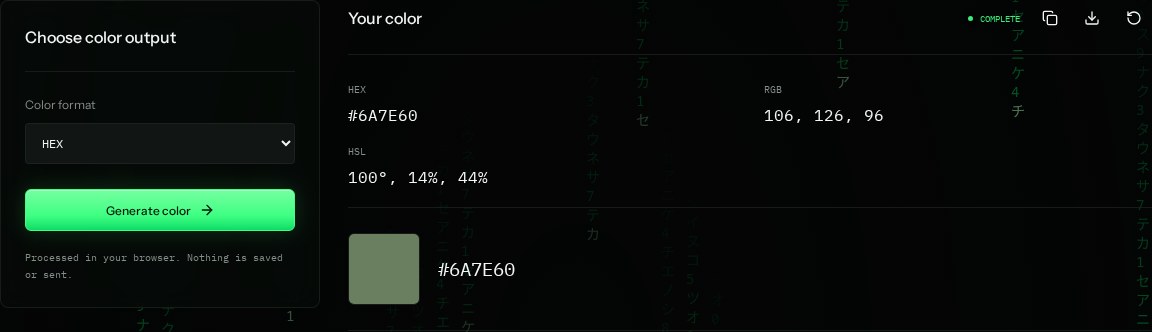
How to read the information
- HEX
- A # followed by six hexadecimal digits. The pairs encode red, green, and blue.
- RGB
- Three channel values from 0 to 255. Larger values add more of that channel.
- HSL
- Hue is an angle around the color wheel; saturation and lightness are percentages.
- Swatch
- A visual preview. Colors can look different on different displays, so rely on the value for consistency.
What the example means
Each generation changes the color. The screenshot is one example, not the color every reader will receive.
On your Mac or Windows PC
Mac instructions
Generate a color in your browser, copy its HEX value, and paste it into a color field in a design tool such as Figma. No Terminal is required.
A check from your computer reflects your own connection. It may differ from a remote test or the mockup shown here.
Keep this in mind
Random colors can have poor contrast. Test normal-sized text for at least a 4.5:1 contrast ratio; large text generally needs 3:1 under WCAG AA.