A simple guide to open graph preview.
Understand the title, description, and image that appear when someone shares a link.
Open Open Graph previewWhat this tool tells you
Open Graph metadata describes a page to social platforms. A preview helps catch missing images or vague titles before sharing, though each platform renders cards differently.
Try it in SiteTrace
- Enter the full page URL and choose a platform.
- Choose Preview social card. The current sample uses the same illustrative card across platforms.
- Compare title, description, domain, and image with the page you intend to share.
The current tool shows fixed mockup data—not a live check of the address you enter. The screenshot below is an example, not a diagnosis.
What your result looks like
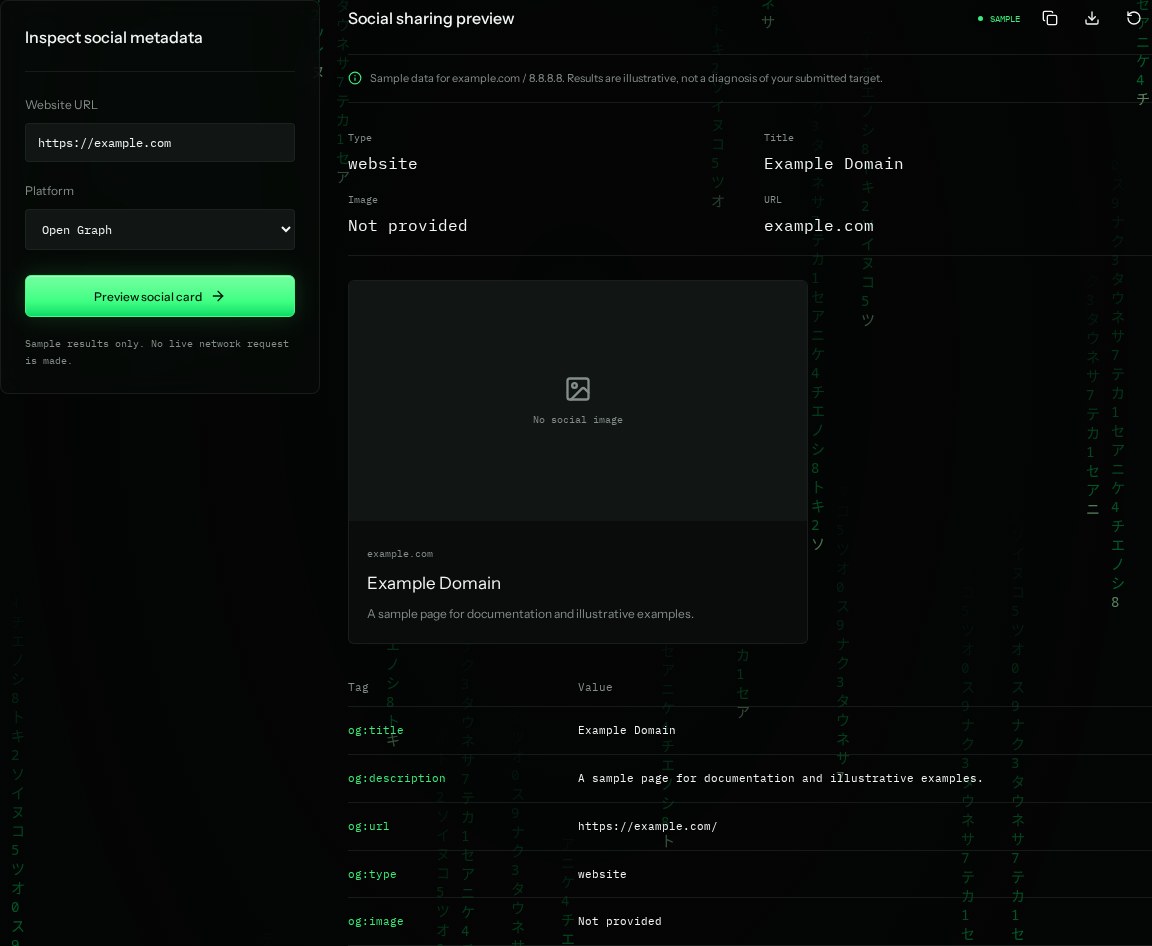
How to read the information
- og:title
- Example Domain is the sample sharing headline. It can differ from the browser title, but should still describe the page.
- og:description
- A short summary for the card. Platforms may shorten it.
- og:image: Not provided
- The example has no image, so the preview shows a placeholder. A real image should be publicly accessible.
- og:url / og:type
- The preferred page URL and content type. website is common; an editorial post can use article.
What the example means
The example is missing a social image. Add an appropriate image and verify the final card on the target platform.
On your Mac or Windows PC
Mac instructions
Run in Terminal to look for Open Graph tags in downloaded HTML. This is a quick tag check, not a card renderer.
curl -sL https://example.com | grep -i "og:"A check from your computer reflects your own connection. It may differ from a remote test or the mockup shown here.
Keep this in mind
Platforms cache previews and may need a refresh through their sharing debugger. Tags present in HTML do not guarantee the image is fetchable or that every platform uses them.